

Everything between the showroom and the service call
Retavon keeps the customer, the unit, the money and the next visit in one system. Everything below works through the API your agents use, and most of it on screen as well; the few parts that are API only say so.
Counter and sales
One document runs from quote to order to completed sale. A deposit is the customer's money held against the order; the sale counts when the goods are handed over, so revenue, tax and cost all date from the day the customer gets what they paid for.
- Quotes and ordersPrint a quote, open it with a deposit, and see what is still to deliver or collect. Emailing quotes waits on messaging, which is not sending yet.
- Counter ticketsRing up chemicals, parts and accessories, with returns, and printed receipts and gift receipts.
- Packages and optionsA main unit with its accessories and delivery at one price, and factory options chosen per order.
- Price listsStore, trade, contract and offer prices, with expired quotes brought back to today's prices.
- Trade-ins and layawaysAppraise the customer's old unit toward the sale; hold goods while they pay over time.
- Gift cards and store creditSold and redeemed, with what you owe customers carried on the books.
- CommissionSplit a sale between salespeople, earned at hand-over or once the order is paid in full, as each plan says. Through the API.
- Tax exemptionsCertificates recorded with their expiry and checked at each sale, with a warning before they run out.
- Manager approval in placeAt a shared counter, a manager approves a refund, return, trade-in, stock adjustment or cash paid in or out with their PIN on the same screen.
Inventory and purchasing
Big-ticket units are tracked one by one by serial number, from the purchase order to the customer's home, where a sold unit becomes their equipment for service and warranty. Everything else is tracked by quantity and lot.
- CostingFIFO or average cost, chosen by the business, with stock value posted to the books as it moves.
- Purchase ordersSpecial orders tied to the customer's line, vendor date changes, and receiving by scanner.
- Landed costFreight, crane and prep added to what a unit cost you. Through the API.
- Counts and adjustmentsCounts that scan serial numbers, adjustments with reasons, and a shrink report.
- TransfersMove units between stores by serial number.
- Vans and par levelsEach van is a location with a par list and a restock list for the morning.
- Returns to vendorSend goods back under an RMA and follow the credit.
- Floor-plan loansEach financed unit tracked against its lender, ready for the lender's audit.
- ReplenishmentA report of what to reorder, and which stock sits unsold.
Delivery and install
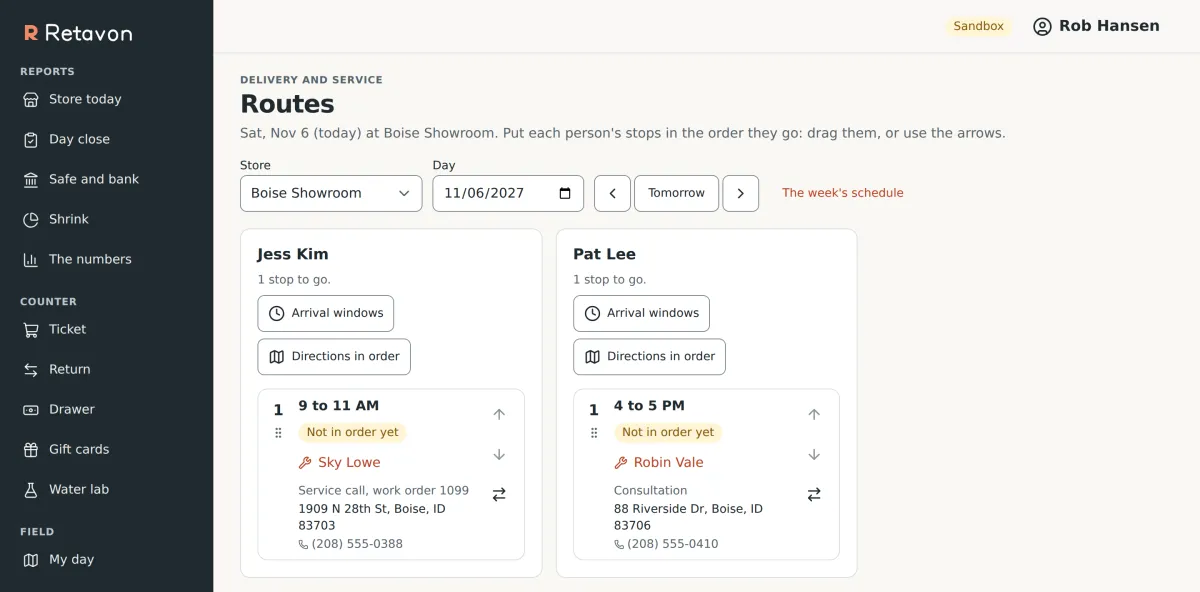
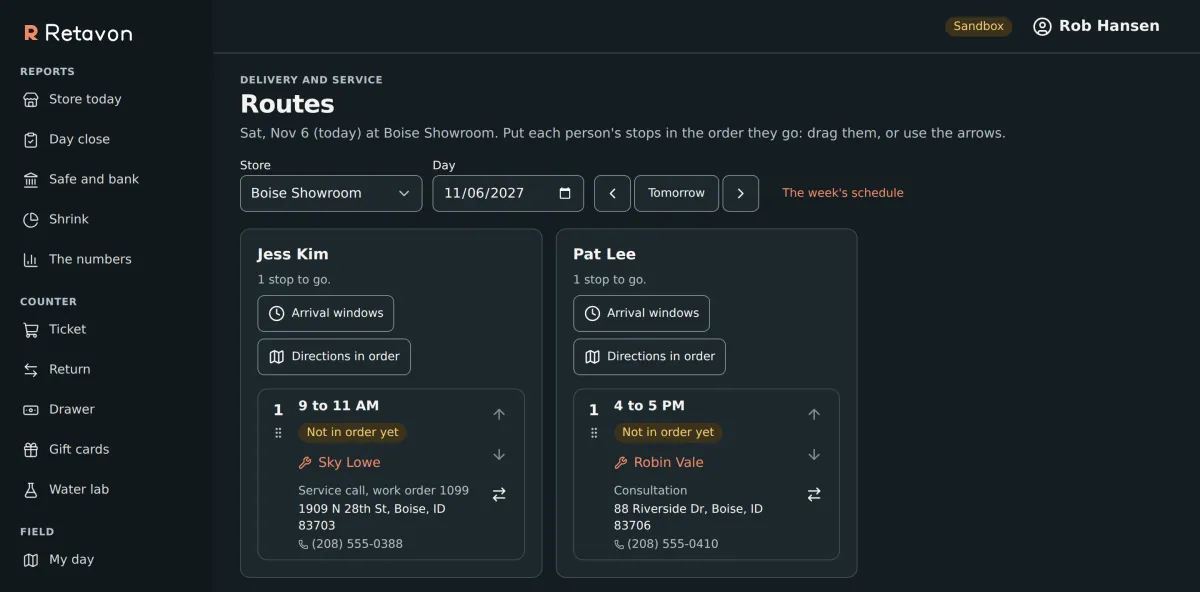
Orders ready to go wait in a queue. Book a delivery against who is free, check the site is ready, line up anyone else who needs to be there, and put each crew's stops in the order they will drive them.
- Site checksRecord whether the site is ready before the truck leaves.
- Outside partiesA crane or an electrician booked as part of the delivery.
- RoutesDrag stops into order, set arrival windows, and open directions for the whole route.
- On the dayCrews mark themselves en route and arrived from their phone.
- Proof of deliveryThe customer signs on the phone and the crew adds photos.
- Failed deliveriesRecord why, rebook, and charge a redelivery fee from the deposit if your policy says so.
Service
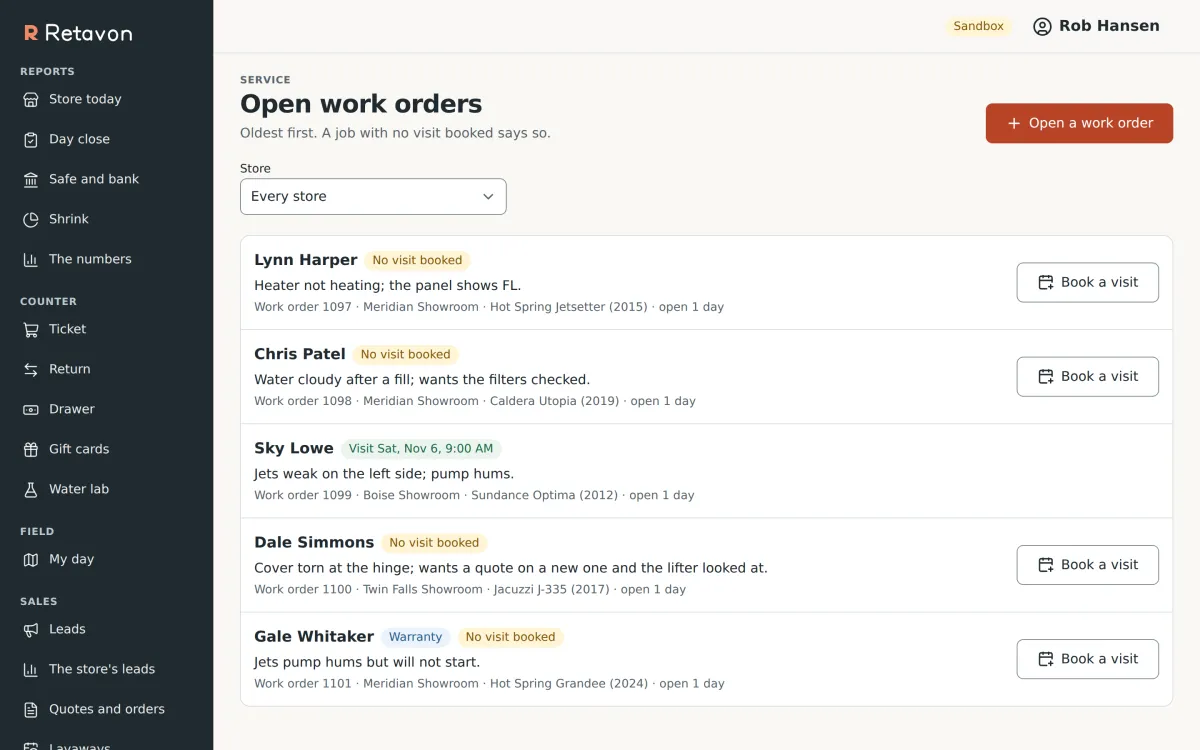
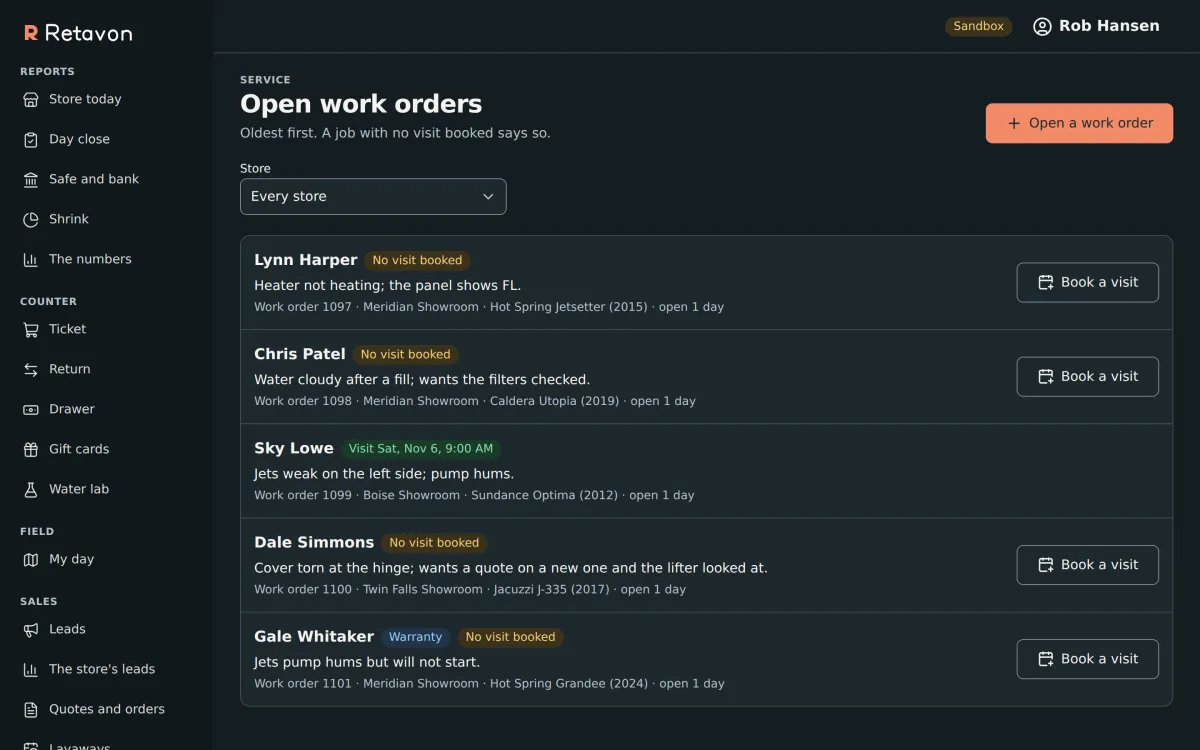
Work orders are written against the customer's own equipment, so the technician knows the model, its age and what is under warranty before they arrive. A job with no visit booked says so.
- Job templatesTasks and standard times for the jobs you do every week. Through the API.
- The technician's dayVisits in order on their phone, with timers, checklists and photos.
- Parts from the vanParts used come out of the van's stock and onto the bill.
- Sign-off and billingThe customer signs, and labor is billed by your rounding rules.
- WarrantiesWarranty jobs marked as such, with manufacturer claims and failed parts tracked through the API.
- Care plansRecurring service visits or supply shipments, each cycle becoming its own order.
Money and the books
Every event that moves money or stock value posts a balanced journal entry in the same step, so the books are never a day behind the store. QuickBooks stays your book of record; payables, bank reconciliation, payroll and tax filing stay there too.
- Cash drawersOpen, count blind and close drawers, then move cash to the safe and the bank.
- Payments and refundsCash, checks, store credit and payments on account, with refunds and reversals for bounced checks and chargebacks.
- House accountsCredit limits, aging, statements and finance charges.
- Consumer financingLenders, promotions, monthly payment estimates, applications and decisions, and the dealer fee on funding.
- Chart of accountsMonth close on screen; manual entries and reversals through the API.
- Financial statementsRead straight from the journal, whenever you ask.
Customers and leads
A customer's record holds their addresses, delivery sites, equipment, orders and what they owe. Contact details carry their consent, so messages go only where the customer agreed.
- LeadsSources, owners, follow-up tasks, calls and visits, and a reason when one is lost.
- The pipelineLeads through to sales booked and sales delivered.
- Customers due to buy againA report of who bought long enough ago to be ready for the next one.
The owner's numbers
Read from the live books, not a nightly copy. Each figure links to the orders behind it, and the page says whether every rule about the books holds.
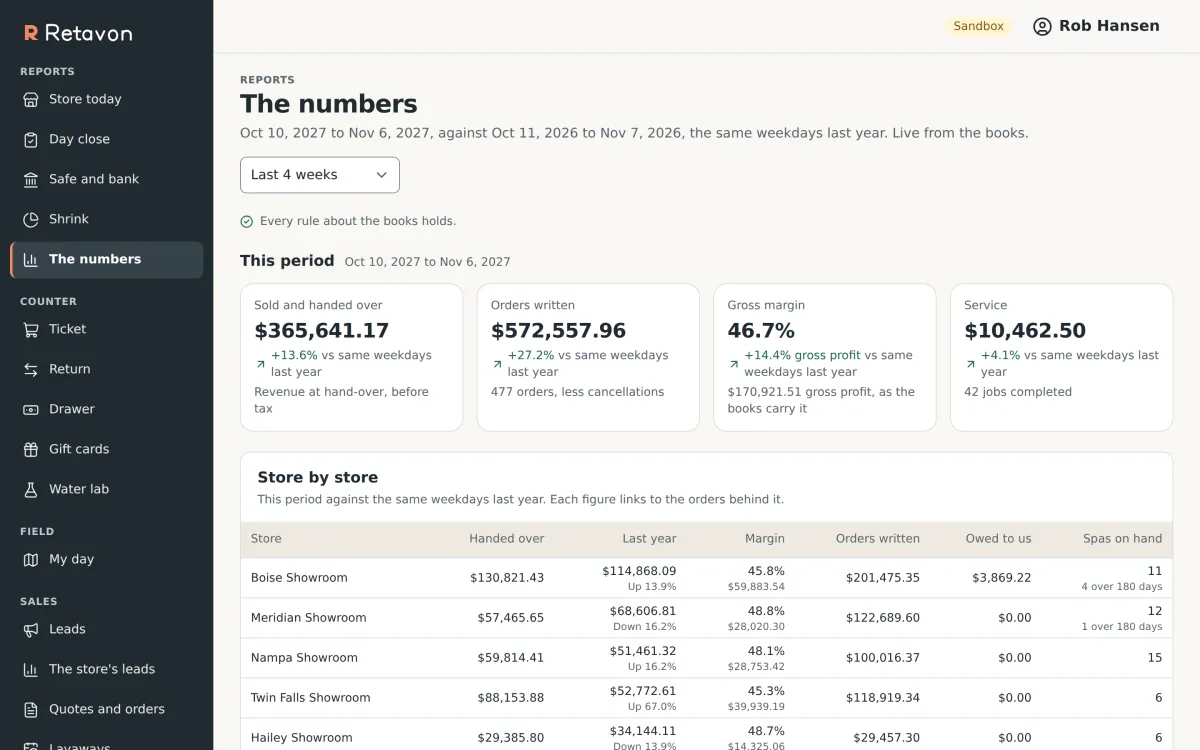
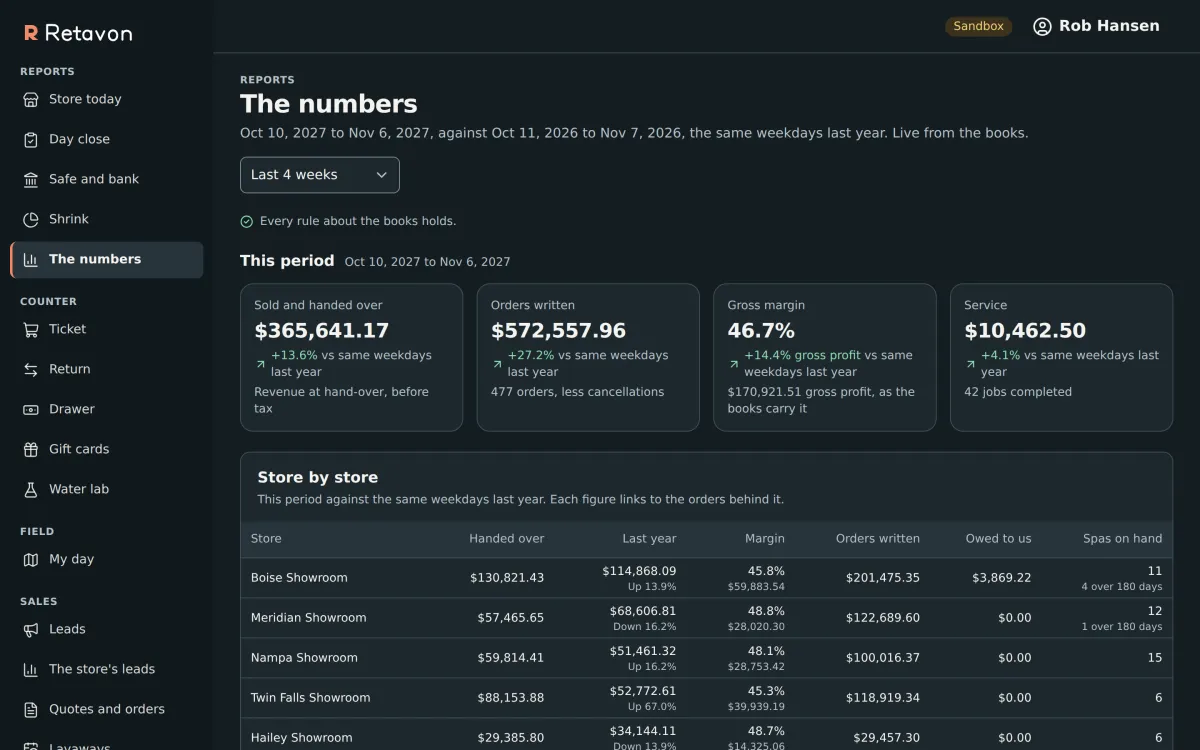
From the staging sandbox, with made-up figures. Its clock has been moved ahead, so its dates read 2027.
- Store todayWhat needs a manager now: drawers left open, tax certificates running out, today's visits.
- Day closeEach store's day counted and closed.
- ShrinkWhat went missing, where, and the reasons recorded.
Staff, stores and control
Roles hold named permissions, everywhere or at one store. Nobody can hand out a permission they do not hold themselves, and that rule binds agent keys the same way.
- Many storesEach store, and each van, is a location with its own stock and its own sales view.
- Shared countersEnroll a counter computer once; staff switch on it with their own PIN.
- Audit trailEvery change: who made it, with which key, when, and what it was before.
- Custom fields and policiesAdd the fields your business tracks and set how your shop runs, without changing the software.
- Each business kept apartEvery table the application can reach is fenced by business in the database itself, with row-level security in Postgres.
- Light and darkScreens are built for and tested on a phone, a tablet and a desktop, in light and dark.